
Listen to the relevant segment, correct text and timing, and save changes before sharing or export
Edit a completed project
- Open a completed project and choose Edit
- Use the Subtitles, Text or Summary tab according to the available content
- Select a segment or its start time to move playback to the beginning of that segment
- Correct the text, select Save and wait for Saved
Editing tools
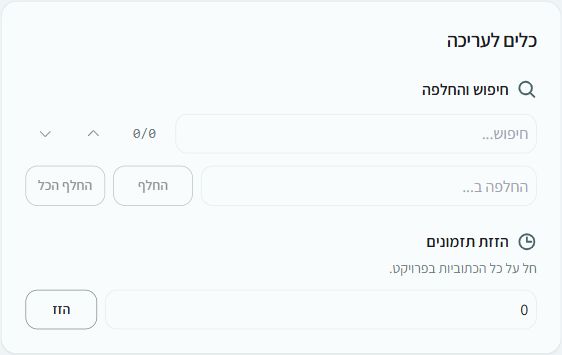
Find and replace changes matching text. Shift timings moves all subtitle times by the specified number of seconds. Subtitle view also supports splitting and merging segments and changing start and end times. Undo and redo let you review a change before applying it again
Keyboard shortcuts
Ctrl+S: saveCtrl+Z: undoCtrl+YorCtrl+Shift+Z: redo- Space: play or pause while no text field is being edited
- In subtitle view,
Alt+Enter: split;Alt+M: merge
Check before leaving
Playback navigation is at segment level. Review names, numbers, specialist terms and subtitle timing against the recording. Unsaved changes trigger a warning when leaving. A rerun creates a separate project and is charged if successful