
Sign in with Google or email, troubleshoot verification and manage non-essential messages
Sign-in problems
If Google sign-in fails, try the same email address using email sign-in. Use your password, or choose password reset if you have none or cannot remember it. If an email verification code does not arrive, check the address, spam and promotions folders and request a new code when available. Never share the code
Receive completion emails
- Open account settings and preferences
- Find emails and notifications
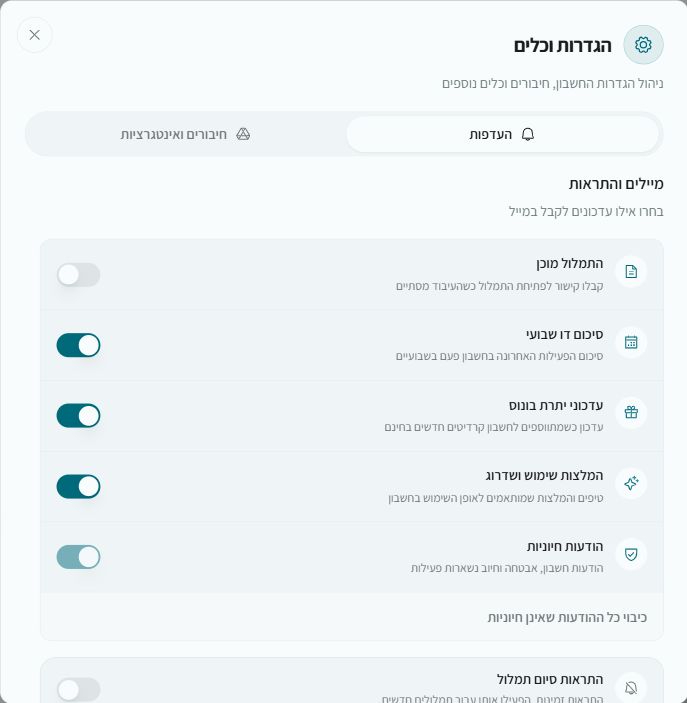
- Enable the transcription-ready message
- A completed new transcription sends a link to the project
Email preferences
You can separately control the biweekly digest, bonus-balance updates and usage or upgrade recommendations, or disable all non-essential messages. Account, security and billing messages remain enabled. A suitable email’s footer also links to preferences
Sign-in page keeps looping
Use the sign-in repair tool and approve the reset and sign-out, then sign in again. It clears local browser sign-in data; it does not delete your account, projects or balance