
Download a completed project or export several projects together using the saved version
Export one project
- Find the completed project on the dashboard
- Select Export or open the actions menu
- Choose Word, PDF, plain text or subtitles according to the project
- Save the file and check a corrected passage
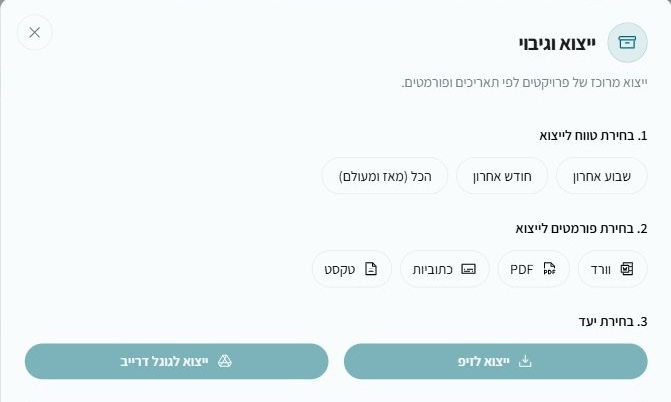
Bulk export
- Choose Bulk export and download above the project list
- Select the last week, last month or all time
- Select the required formats
- Choose ZIP or Google Drive if that connection is available
Important information
Only completed projects are included; processing, cancelled and failed projects are skipped. Save editor changes before export. Subtitle files contain text and timing; colors, fonts and animation are controlled by the player or video editor