
Authorize your number, record on the dedicated line and receive a Word transcript by email
Before calling
Available from Basic. You can connect up to five active phone numbers to one account. Transcription uses your credit balance and plan limits like a normal upload. A Word file is emailed automatically when processing finishes
Set up and record
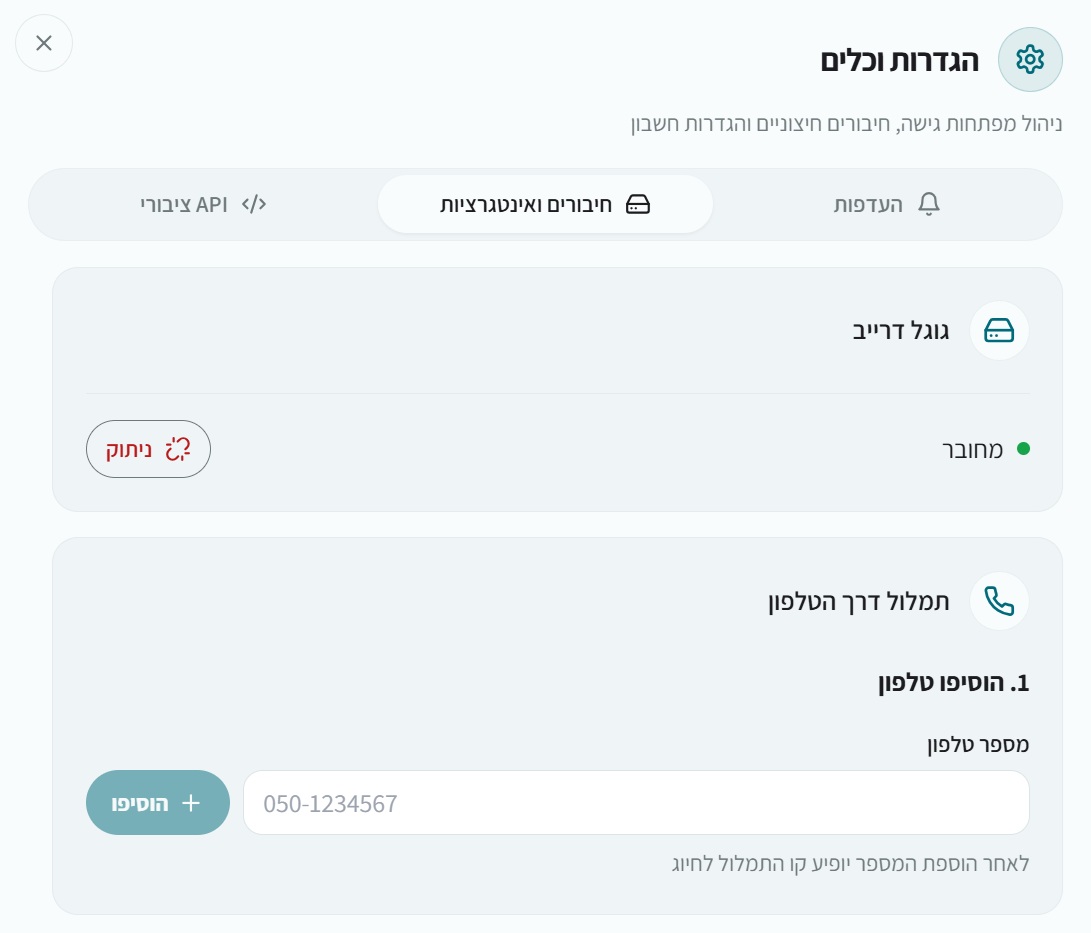
- Open settings, integrations and phone transcription
- Add the number you will call from
- Dial
0774635641from that number and follow the recording instructions - Save the recording and wait for the Word file at your account email
After recording
A project appears on the dashboard. You do not need to keep the site open to receive the document. You can later open the project to listen, edit or export text or SRT
If the recording or email is missing
Check that the calling number is authorized and not hidden, that you saved the recording, and that you have enough credits. Check spam and promotions after processing completes. Contact support with the approximate call time and only the last four phone digits if the issue persists
Privacy and removing access
The line records a message you intentionally create; it does not record an existing conversation with another person. Remove an authorized number in settings to stop future calls from reaching your account. Output or translation options depend on the current voice menu