
Choose email or link access and understand what viewers and editors can do
Access roles
Only the owner manages permissions on a completed project. A public viewing link lets anyone holding it view and export without signing in, but does not give media access. An email viewer can view and export in their account without media access. An email editor can access media and edit the shared project
Share a project
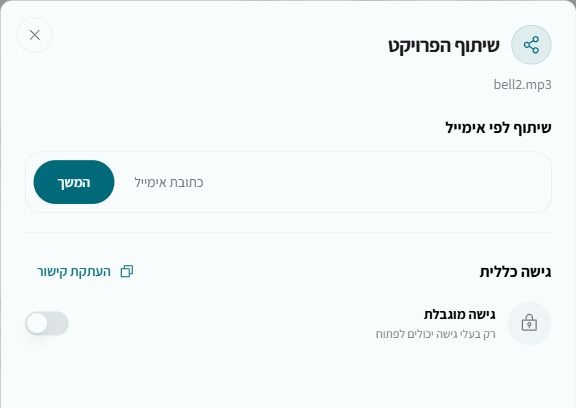
- Open your project and select Share
- For private access, enter an email, continue and choose viewer or editor
- For a link, enable general access and copy the link
- Send the link only to intended recipients
Change or remove access
Change roles or remove access in the sharing dialog. Removing a named recipient does not disable general link access. Disabling general access stops that link; enabling it again creates a new link. Deleting the source project removes its shares. Removing a received project from your account does not delete the owner’s original. An editor’s rerun creates and charges a separate project in the editor’s account if successful